Web app
The web app is the home base for Ask: the complete experience, with every agent, knowledge base, and setting in one place. It runs in any modern browser, with nothing to install. Most of this guide describes the web app; this page is just the high-level map.
Open Ask
Go to your organization’s Ask address in the latest Chrome, Edge, Firefox, or Safari, and sign in. See Sign in & choose your organization. You land on your conversations, ready to start a new chat.
Find your way around
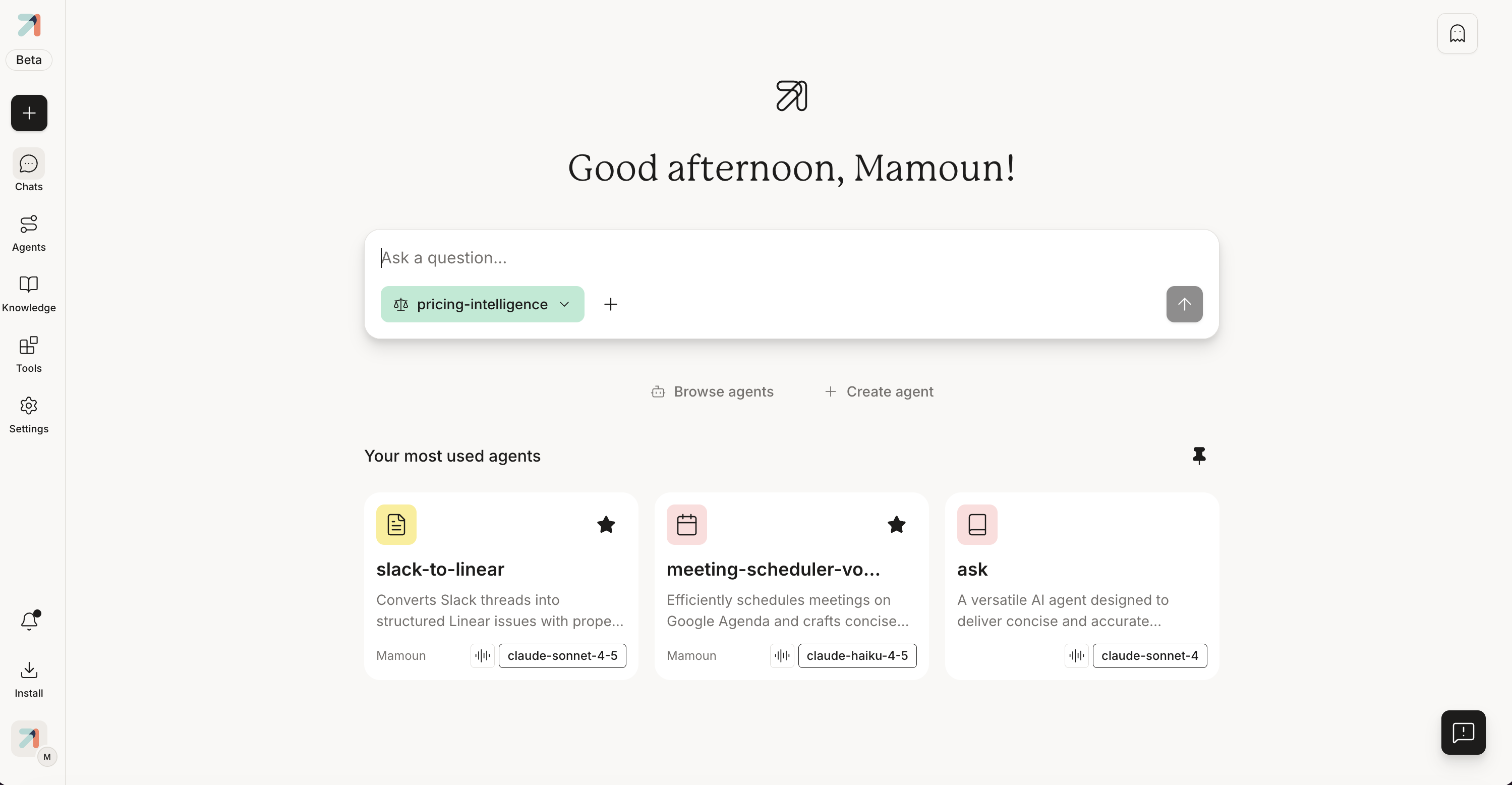
The left navigation is the spine of the app. From the top:
- New Chat (the + button): start a fresh conversation. See The conversation pane.
- Chats: your conversation history. See History & search.
- Agents: browse and open the agents published to you, or build your own. See Agents, explained.
- Knowledge: your knowledge bases. See Knowledge bases, explained.
- Tools: the tools and connectors agents can use. See Tools overview.
- Settings: your account, plus organization and admin controls where your role allows. See Admin console overview.
For a guided walkthrough of the interface, see Tour of the app.
Take Ask beyond the browser
The web app runs in your browser, so there’s nothing to install. To take Ask to your phone, open Install in the left navigation, which walks you through getting the mobile apps. For the browser extension, see its own page. See also Mobile & extension.
The web app, mobile apps, browser extension, and chat bots all read the same Ask account. A conversation you start in one shows up in the others, so you can move between them without losing your place.