Tools overview
Tools are the actions an agent can take: search the web, run code, look something up in your CRM, fetch a map. Find and manage them under Tools.
Prerequisites
- An Ask account with permission to view tools. Most users can browse; registering or connecting new tools may be permission-gated.
Where to find tools
Click Tools in the left sidebar. You land at /connectors.
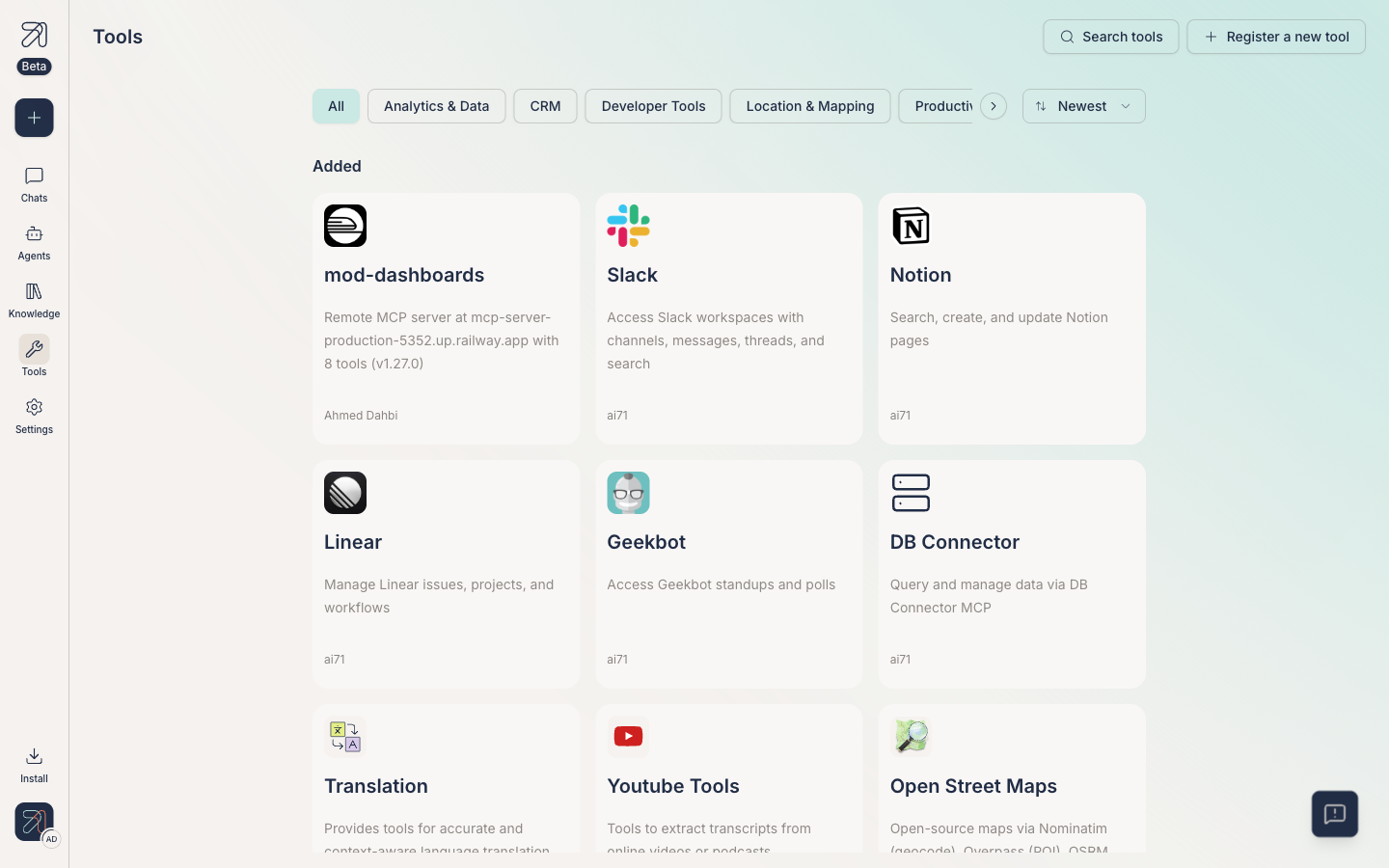
Page layout
Top of the page:
- Search tools: find a tool by name.
- Register a new tool: register a custom tool via MCP. See Custom MCP tools.
- Sort combobox (default: Newest).
The body splits into two sections:
- Added: tools already connected and ready to attach to agents.
- Recommended: tools you can connect.
At the bottom of the page, an empty-state card reads: "Can't find the right tool? Manually connect external MCP or custom tools so they remain available to your account and can be shared with others." with a Connect a new tool button.
Categories
Filter chips group tools by area. The seven categories, in app order:
- All
- Analytics & Data
- CRM
- Developer Tools
- Location & Mapping
- Productivity & Communication
- Text Processing
- Uncategorized
How tools end up in conversations
-
Connect the tool here, under Tools. It moves from Recommended to Added.
-
Attach it to one or more agents via the Add tools button in step 2 of the agent creator. See Add tools.
-
Approve tool calls at runtime if your org or personal settings require it. See Approving tool calls.
Tips & gotchas
Search beats scrolling. The Recommended list grows quickly, so type a vendor or capability into Search tools.
Every tool card shows who owns it ("Managed by"). Which tools are available to the org is controlled by admins from the same page, and there is no per-tool sharing control.