User Provisioning
User provisioning determines how user accounts are created and managed within your Ask organization.
An Organization Admin can choose whether users are created manually by administrators, automatically when they first sign in, or (in the future) synchronized from your identity provider using SCIM.
User Provisioning Options
The User Provisioning dialog allows you to select how users are added to your Ask organization.
| Option | Description |
|---|---|
| Manual | Administrators create and manage user accounts directly in Ask. |
| Just-in-Time (JIT) | User accounts are created automatically the first time a user successfully signs in through your configured identity provider (IdP). |
| Automatic Provisioning with SCIM (Coming Soon) | User accounts and group memberships will be synchronized automatically from your identity provider using SCIM. |
Prerequisites
- Organization Admin access to Ask
- An Enterprise plan (required for SSO configuration)
Open the user provisioning settings
- Log in to Ask as an Organization Admin.
- Go to Admin > People & Access.
- Select the Access tab.
- Open the User provisioning dialog.
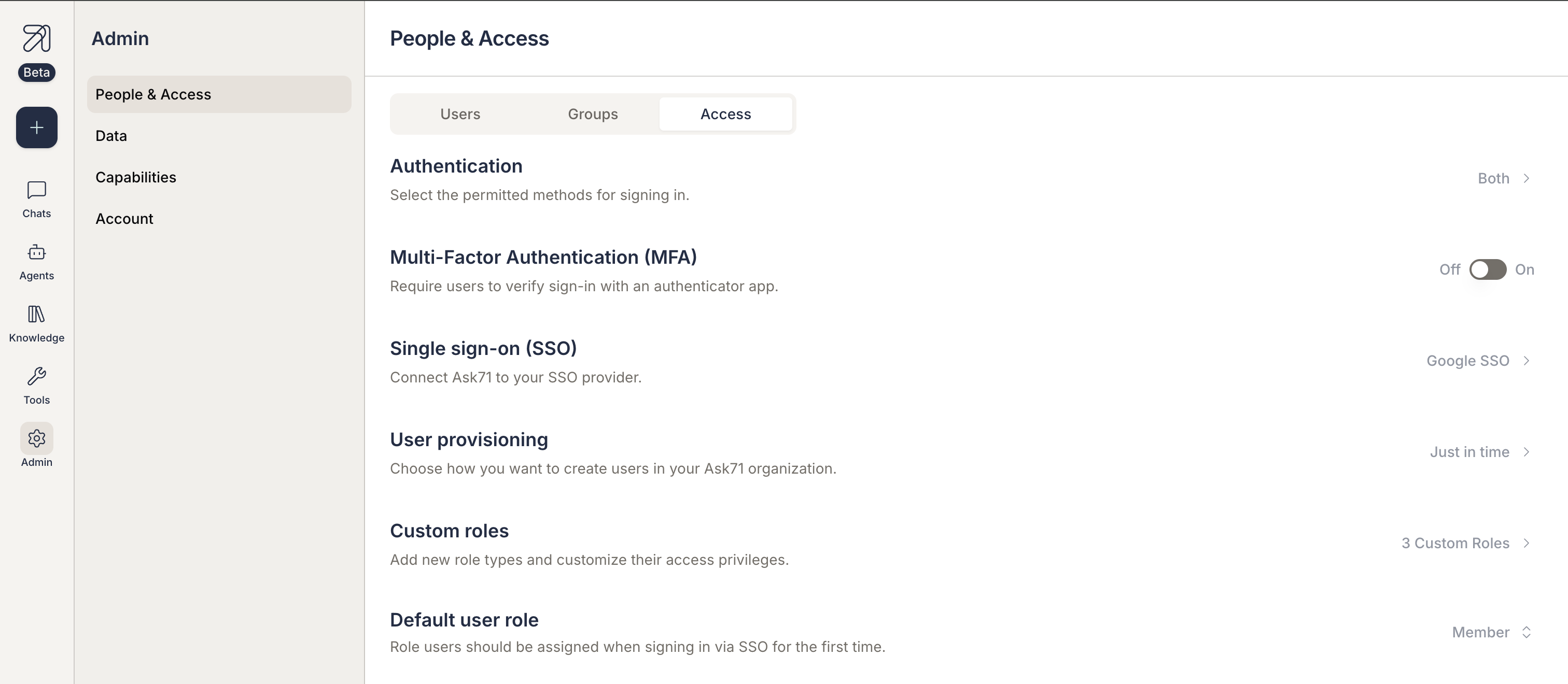
Understanding Provisioning Methods
Manual Provisioning
With manual provisioning, Organization Admins are responsible for creating, updating, and managing user accounts within Ask.
This option is recommended when:
- You have a small number of users.
- User access requires administrative approval.
- You do not want users to self-register through SSO.
- Your organization does not use centralized identity management.
How it works:
- Log in to Ask as an Organization Admin.
- Go to Admin > People & Access.
- Select the Users tab.
- Click on Add Users.
- The user receives access based on the assigned role and permissions.
- Administrators are responsible for updating or removing users as needed.

Just-in-Time (JIT) Provisioning
Just-in-Time (JIT) provisioning automatically creates a user account when a user successfully authenticates through your configured identity provider for the first time.
This option is recommended when:
- You use SSO and want to reduce administrative overhead.
- Users should be able to access Ask without being pre-created by an administrator.
- User information is managed centrally in your identity provider.
How it works:
- A user attempts to sign in through your configured SSO provider.
- Ask validates the authentication response from the IdP.
- If the user does not already exist in Ask, a new account is created automatically.
- The user is assigned the default role configured for the organization.
- To change this role, update the Default user role setting in the Access tab within People & Access section.
SCIM Provisioning (Coming Soon)
SCIM (System for Cross-domain Identity Management) enables automatic synchronization of users and groups between your identity provider and Ask.
Once available, SCIM will allow administrators to:
- Automatically create users.
- Update user information.
- Deactivate users when access is removed in the identity provider.
- Synchronize group membership and access assignments.