Agents, explained
An agent in Ask is a reusable assistant (a model, plus instructions, plus optional knowledge and tools) that anyone in your org can chat with.
What is an agent?
Think of an agent as a saved configuration of the AI. Instead of writing the same long prompt every time, you bundle four things together:
- Instructions: what the agent should do, how it should respond, what it shouldn't touch.
- Model: which LLM powers the responses (OpenAI, Anthropic, Google, or open-source).
- Knowledge: knowledge bases the agent can search before answering.
- Tools: actions the agent can take (run code, search the web, query a connector, call a custom MCP tool).
Once published, an agent shows up in your Agents library and can be opened from New Chat or the agent picker.
The Agents library
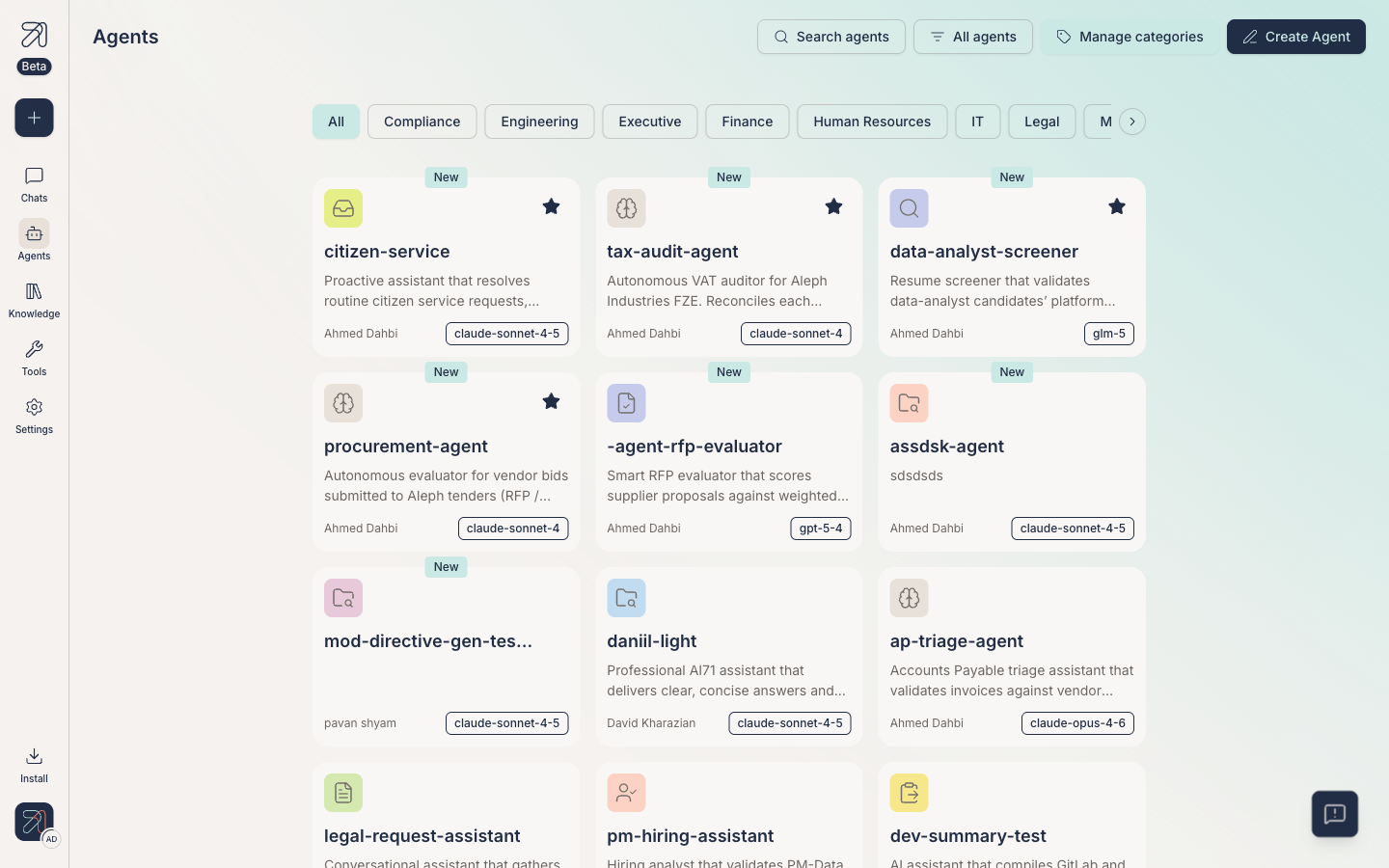
Open Agents in the left sidebar (or visit /agents). You see a grid of agent cards with three controls in the header:
- Search agents: find an agent by name.
- All agents: an ownership filter: My favorites, Created by me, Shared with me, or All agents. (Narrowing by category is done with the chips row below the header.)
- Create Agent: opens the agent creator at
/agents/create.
Categories
Filter chips group agents by business function. The full list, in app order:
- All
- Compliance
- Engineering
- Executive
- Finance
- Human Resources
- IT
- Legal
- Marketing
- Operations
- Procurement
- Product
- Sales
- Strategy
The list is editable via Manage categories, a panel ("Create and delete new agent categories") with + Create new category, search, and the category list. You can also create a category inline from the creator's Categories field.
When should you create an agent?
Create a new agent when one of these is true:
- You catch yourself pasting the same instructions into chats more than twice.
- The job needs a specific knowledge base attached.
- The job needs a specific tool turned on, such as web search, code execution, or a connector.
- You want a teammate to use the assistant without re-explaining context.
If you just need a one-off answer, start a new chat with a general-purpose agent instead.
Tips & gotchas
Browse the library before you build. There's a good chance someone in your org already shipped what you need, or close to it. Duplicate and edit, don't start from scratch.
Agents you publish are visible to others in your organization based on visibility settings. Check the Share & discover guide before publishing anything sensitive.