Pick the right agent
Ask comes with agents organized by department. Open the agent library, filter by category, and pick one that already speaks your domain.
Prerequisites
- You are signed into Ask.
- Your organization has agents published. If not, see Create your first agent.
Open the agent library
-
Click Agents in the left sidebar. The URL goes to
/agents.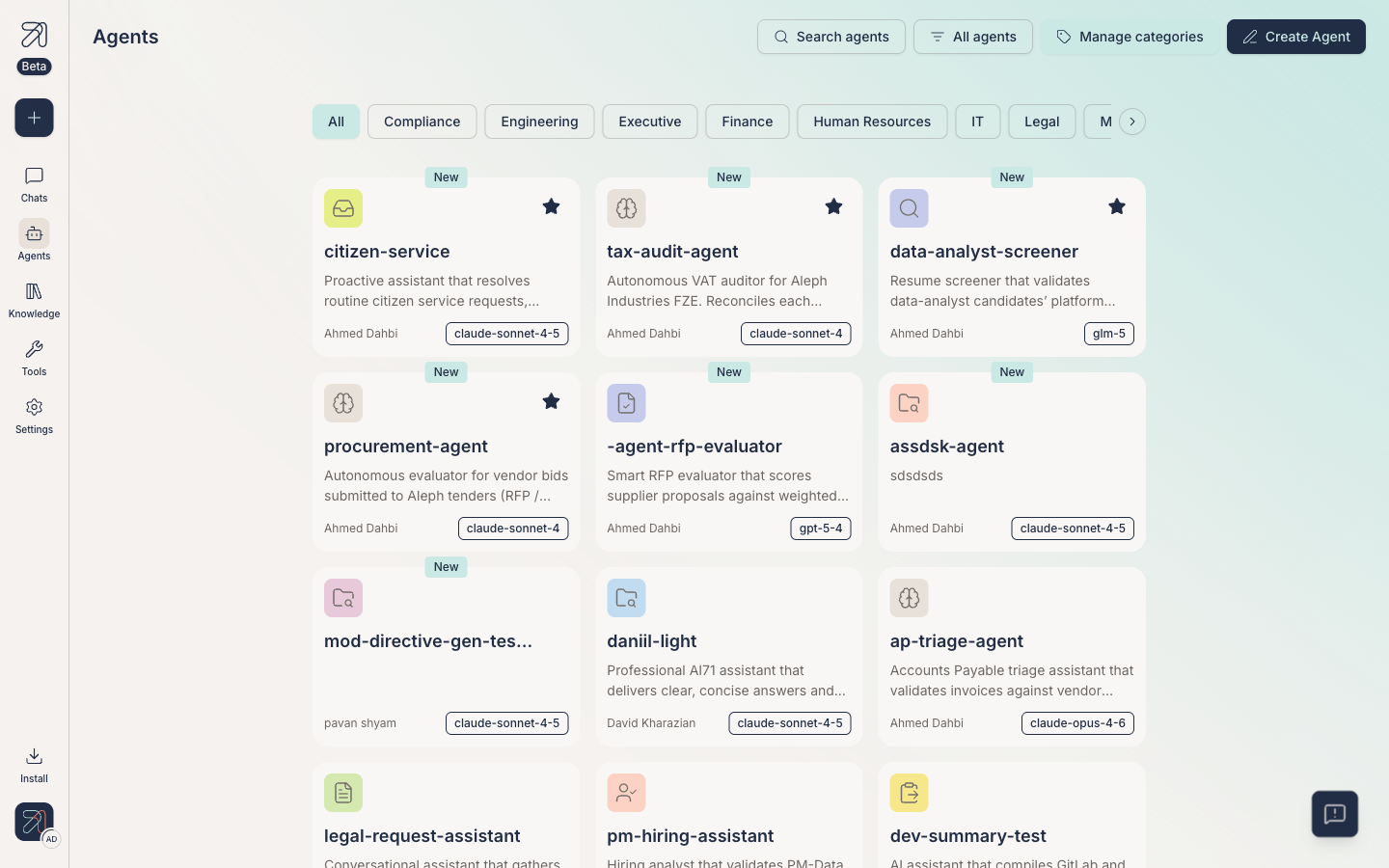
The Agents library, with category filters across the top.
Filter and search
The library has two ways to narrow things down, plus an admin control.
Category chips
Across the top of the page, click a chip to filter the grid. The categories are:
- All
- Compliance
- Engineering
- Executive
- Finance
- Human Resources
- IT
- Legal
- Marketing
- Operations
- Procurement
- Product
- Sales
- Strategy
Search
Use the Search agents field at the top to search by name or description across every category.
"All agents" filter
The All agents control next to search filters by ownership: My favorites, Created by me, Shared with me, or All agents. (The category chips row scrolls horizontally, so use the arrow at its edge.)
Picking an agent
-
Read the title and one-line description on each agent card.
-
Click a card to open the agent's detail drawer, a quick way to vet it before you commit: its user instructions, attached knowledge bases, tools, and who has access.
-
Click Chat with agent in the drawer. A conversation opens scoped to that agent.
-
Type your first message. The agent will follow its instructions and use whatever knowledge bases and tools it has attached.
Admin controls on this page
If you can manage agents in your org, you will also see:
-
Manage categories: a panel to create and delete the category chips.
-
Create Agent: opens
/agents/create. See Create your first agent.
Tips & gotchas
If you do the same kind of task across several agents, save yourself clicks and build your own agent that combines the knowledge and tools you need. See Create your first agent.
The same agent can be reached from other channels, such as Slack, Teams, the mobile app, and the browser extension, where your org has them enabled. The library only shows what is available in the web app. See Channels for the others.