Admin console overview
Everything an admin manages lives under Settings in the left navigation rail, organized into four sections: People & Access, Data, Capabilities, and Account. Personal preferences moved to a separate Personal settings panel that every user reaches from their profile icon.
Settings was restructured: the old PERSONAL/ORGANIZATION sub-nav and URLs like /settings/users or /settings/api-keys no longer exist. If a bookmark 404s, start from Settings in the left rail.
Get there
-
From any page in Ask, click Settings in the left rail. You land on People & Access (
/settings/people-and-access/users). Non-admins don't see the organization sections.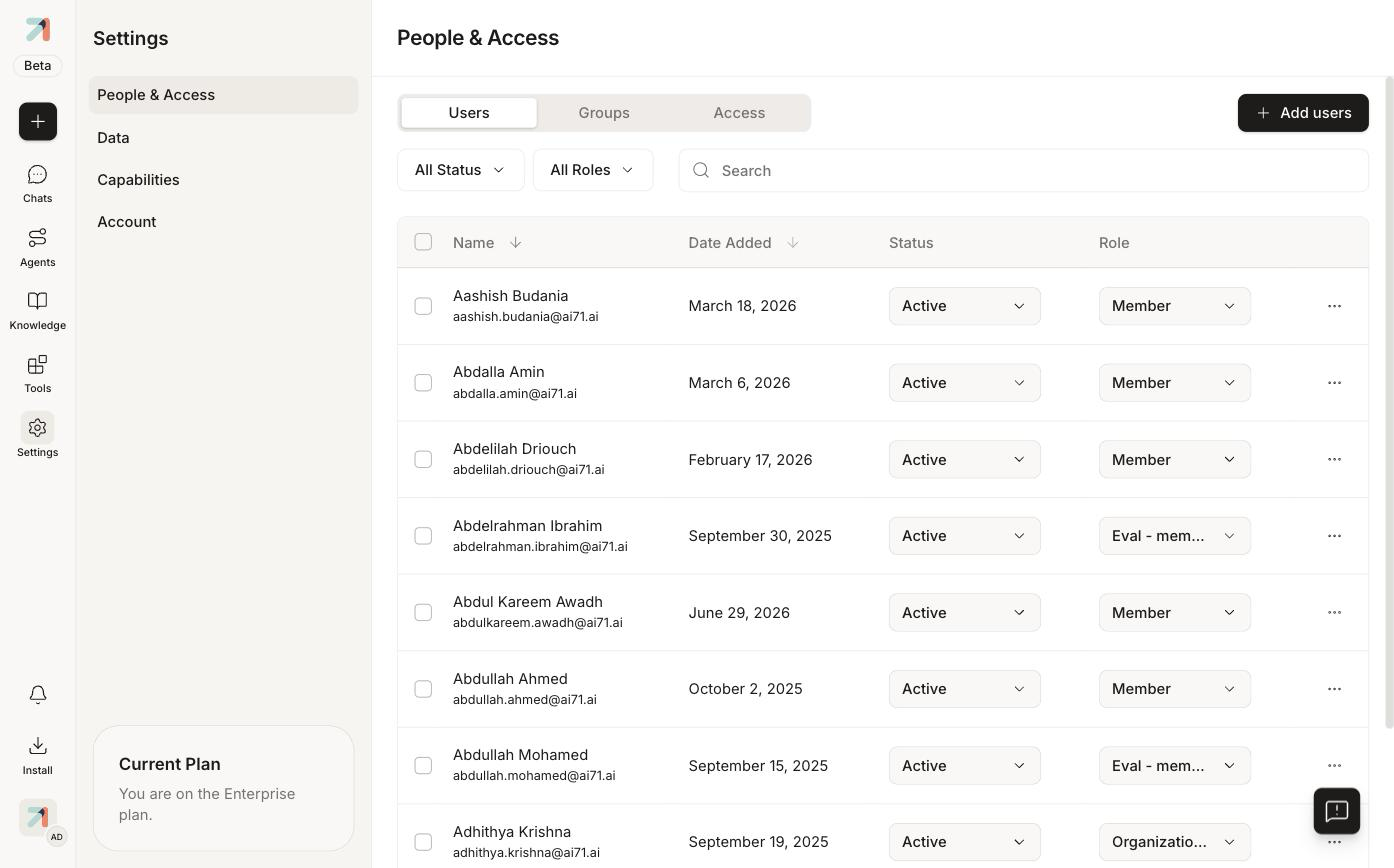
Settings → People & Access. The left panel lists the four sections; each section has tabs across the top. -
Pick a section in the settings panel, then a tab across the top of the page.
What lives where
| Section | Tabs | Guide page |
|---|---|---|
| People & Access | Users (invite, status, roles), Groups, Access (authentication, MFA, SSO, OAuth applications, user provisioning, custom roles, default user role, email delivery) | Manage users, Roles & permissions, Security |
| Data | Data Connections (import and sync from external sources), Databases (connect SQL databases Ask can query), Ingestion (parsing, chunking, embedding; locked after initial setup) | Connectors |
| Capabilities | Connected Tools, Integrations (Slack, Microsoft Teams), Agent Triggers, Model Settings, Automations | Tools, Integrations, Triggers & automations |
| Account | Usage (cost drivers, credits, knowledge storage, execution volume) | Usage, Billing |
Personal settings (every user)
Per-user preferences are no longer under the Settings rail. Click your profile icon in the bottom-left corner, then Personal settings. The panel has six pages:
- Profile: name, display name, email, groups, language, theme.
- Usage: your own credits, storage, and execution volume.
- Memory: let Ask save and reference memories when responding; manage saved memories.
- Tool permissions: set when your agents may use each connected tool.
- Tool capabilities: toggle first-party capabilities (Data Visualization, Code Execution & File Generation, Code Generator) across all your agents.
- API keys: personal access tokens for the developer API. See Create & manage API keys.
The profile menu also holds Switch Organization, theme and language toggles, Help, and Log Out.
The footer of the settings panel shows "Current Plan / You are on the Enterprise plan." On other plans some sections may be hidden or read-only.