Usage & rate limits
The usage dashboard shows how your organization consumes Ask: credits, knowledge storage, and daily execution volume. Every user also gets a personal version of the same dashboard.
Organization usage
-
Open Settings → Account. You land on the Usage tab (
/settings/account/usage).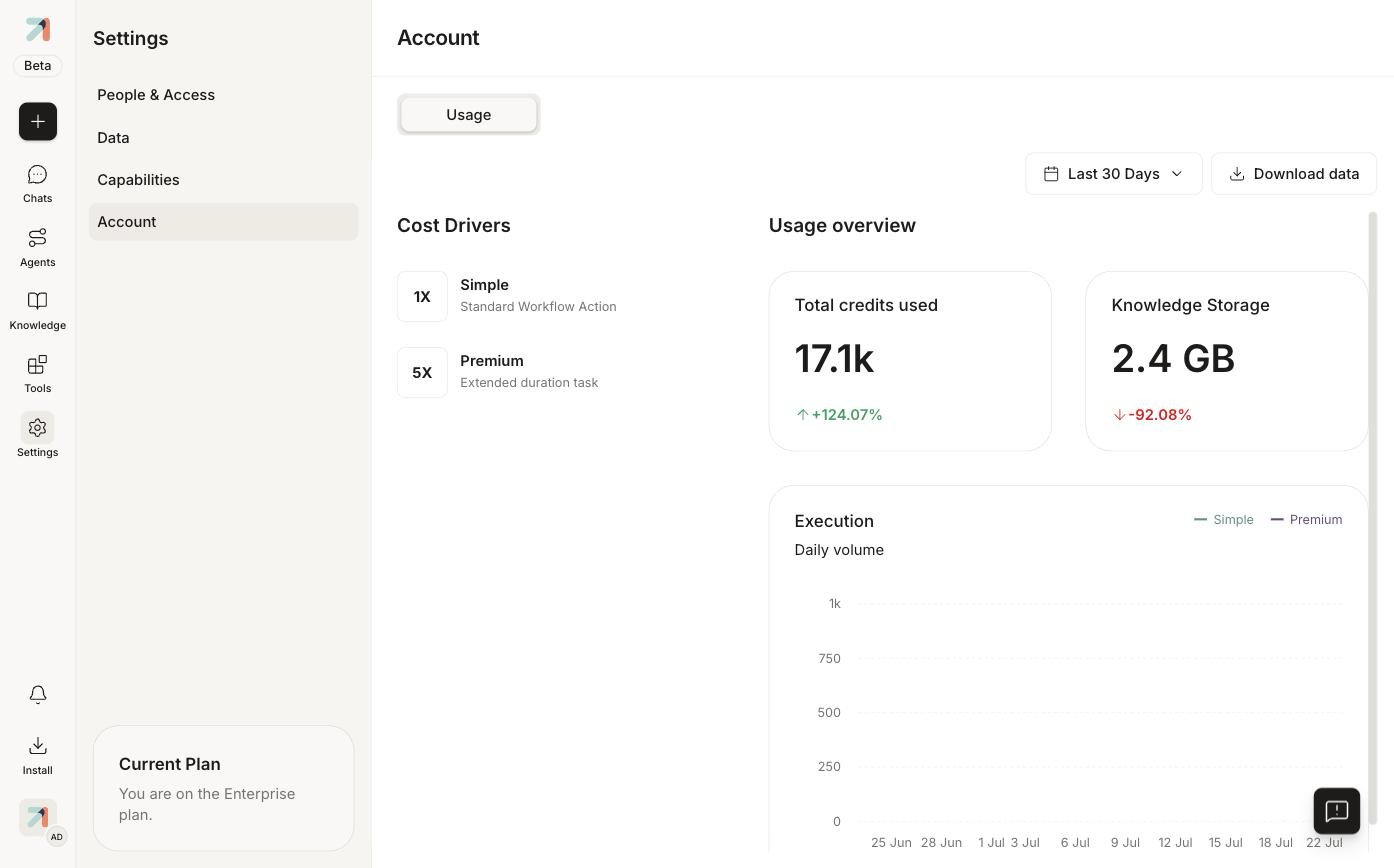
Account → Usage: cost drivers on the left, usage overview and daily execution volume on the right. -
Pick a time window with the Last 30 Days selector, or click Download data for a raw export.
What's on the dashboard
- Cost Drivers: the credit multipliers: Simple (1X), a standard workflow action, and Premium (5X), an extended-duration task.
- Total credits used: with the trend versus the previous window.
- Knowledge Storage: how much of your storage the org's collections consume.
- Execution: daily volume of Simple and Premium actions.
Personal usage
Personal settings no longer includes a Usage page (as of app v2.3.493 its sections are Profile, Memory, Tool permissions, Tool capabilities, and API keys); individual consumption isn't currently surfaced to end users.
Rate limits
-
API keys carry an explicit per-key rate limit (default 100 requests per second), set at creation. See Create & manage API keys.
-
Interactive use is subject to platform fair-use limits; users who hit one see a friendly slow-down message.