Add tools
Tools let an agent do things: run code, search the web, plot a chart, call your API. Pick the ones it needs and no more.
Prerequisites
- An agent draft open at step 2, Tools & Knowledge.
- For custom tools: the tool already registered in Tools at
/connectors.
Steps
-
In the agent creator, open the Tools & Knowledge tab.
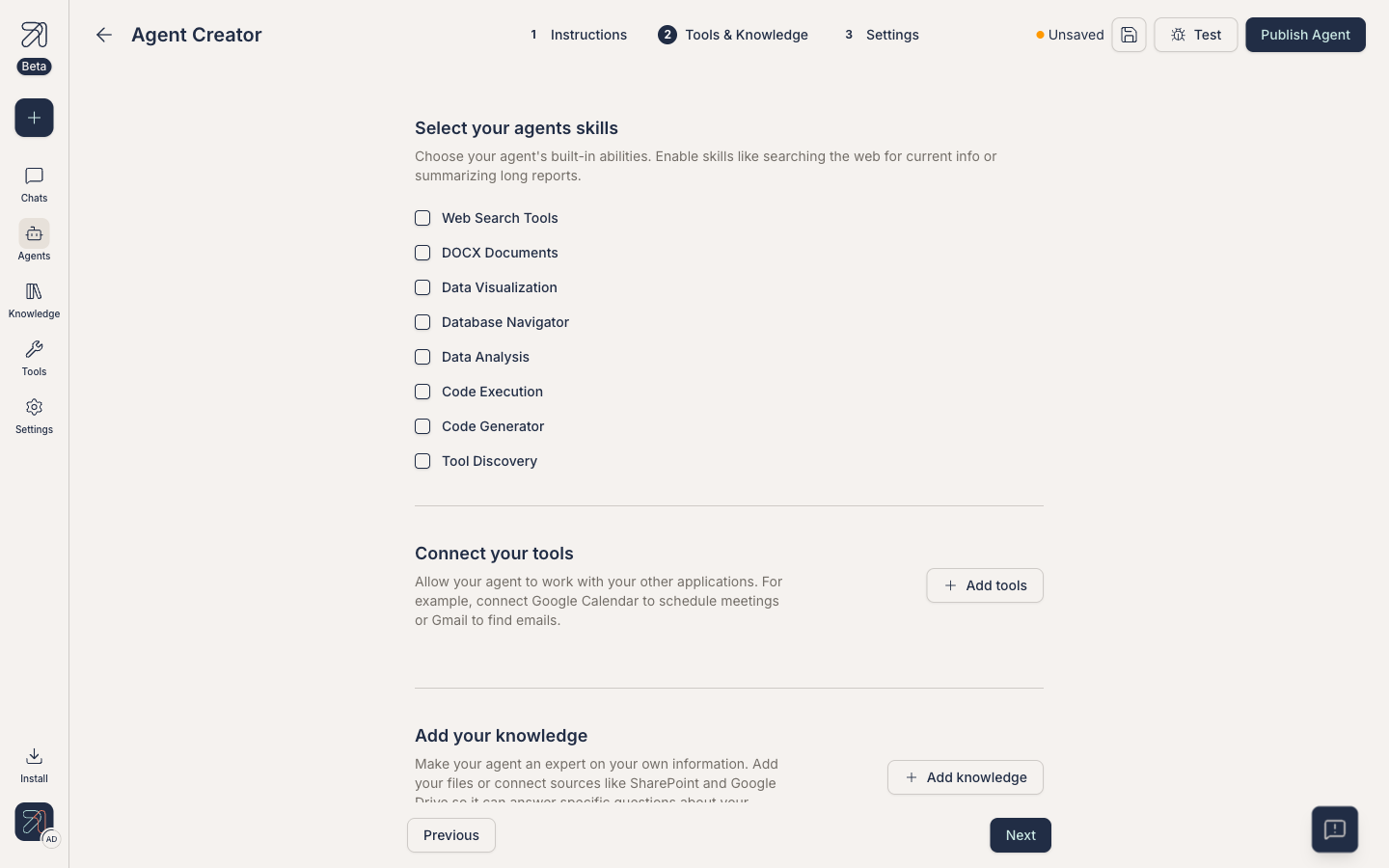
Tools live next to knowledge in step 2. -
Built-in capabilities (Web Search Tools, Database Navigator, Data Analysis) are chips right on the tab, so toggle them directly. For connected services, click + Add tools: the dialog is a flat card grid of every connector available to your account (Slack, Gmail, GitLab, and so on, with no search box, so scroll).
-
Click a card. The dialog closes and the tool is added to the tab as a row marked Needs to be activated. Click its Add tool button to activate it; the trash icon removes it, the eye icon shows its details.
-
Click Test and ask a question that should trigger the tool. Watch the response panel for the tool invocation and result.
Built-in vs custom tools
Two broad categories:
- Built-in tools. Ship with the platform. In the creator these are the Web Search Tools, Database Navigator, and Data Analysis chips; further capabilities like code execution and file generation are managed per user under Personal settings → Tool capabilities. See Built-in tools.
- Custom tools. MCP tools registered in your org via Custom MCP tools. These can wrap any internal API or third-party service.
Pick fewer tools
More tools means the agent has more decisions to make on every turn, which means slower responses and lower precision. A focused agent with three relevant tools beats a kitchen-sink agent with twenty.
Tool calls and approvals
Some tools, especially write actions, prompt the user for approval before they run. That flow is configured at the org and personal levels, not at the agent level. See Approving tool calls for how the prompts look.
Tips & gotchas
If the agent ignores a tool you attached, mention the tool by name in the instructions: "When the user asks for a chart, use the data visualization tool."
Attaching a tool to a shared agent gives every user of that agent the ability to invoke it under your tool credentials. Double-check scopes before publishing, and use approvals for anything destructive.