Attach knowledge
Attach a knowledge base and your agent can search your documents before answering, citations included.
Prerequisites
- At least one knowledge base you can access. See Knowledge bases, explained.
- An agent draft open at step 2, Tools & Knowledge.
Steps
-
In the agent creator, click the Tools & Knowledge tab.
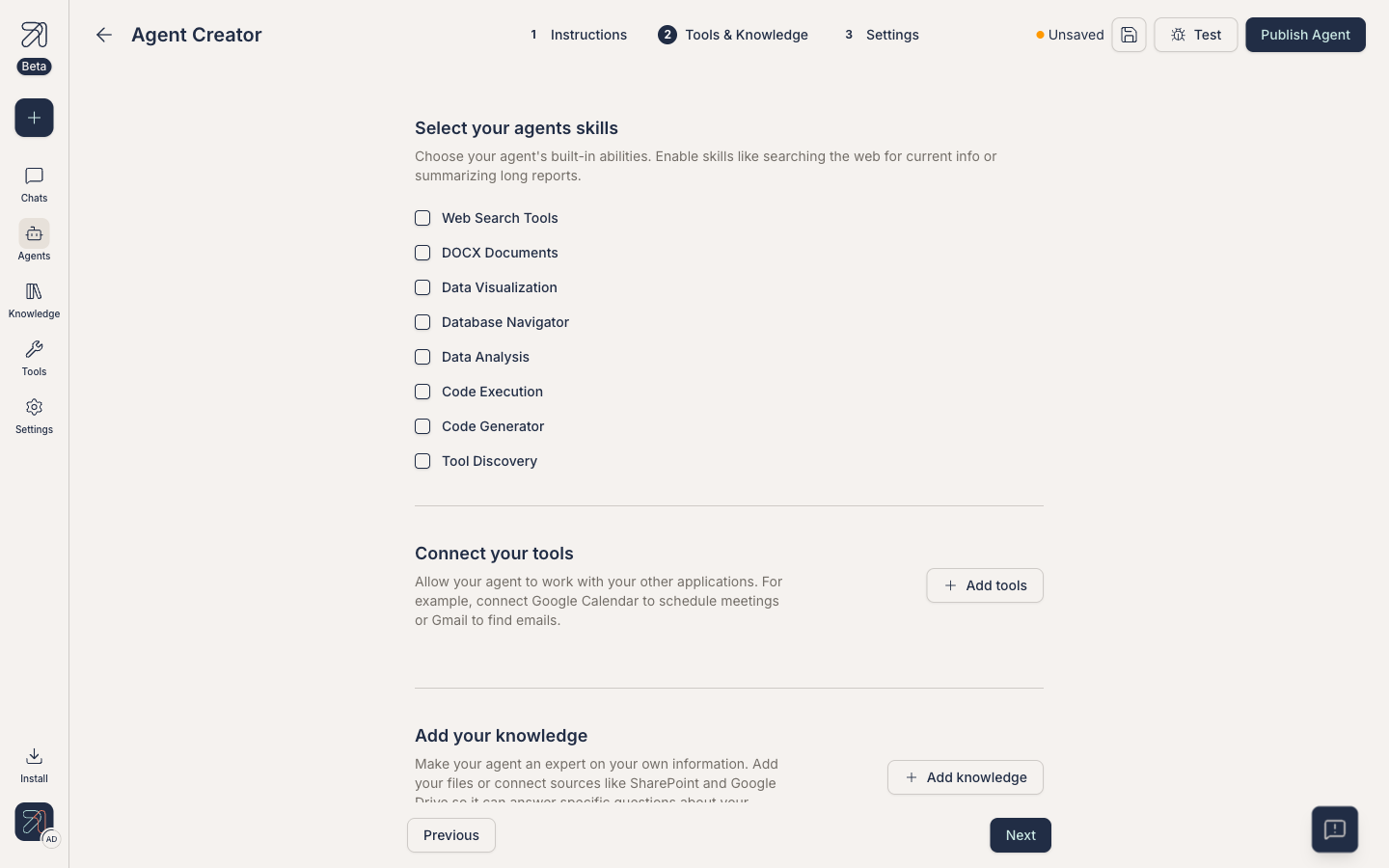
Step 2: knowledge and tools live side by side. -
Click + Add knowledge. The Select collections dialog opens: a checkbox table of the collections you can use (with file count and last-modified date), a search box, and a Sync all collections toggle that links every collection at once. The picker doesn't show Private/Shared, so check the Knowledge page if unsure.
-
Tick one or more collections, then confirm with Add knowledge. Attached knowledge appears as a Collections row in the tab ("N collections linked") with pencil and trash icons; the pencil re-opens the dialog.
-
Switch to Test and ask the agent something only the knowledge base knows. Confirm citations link back to the right document.
How retrieval works
When you attach a knowledge base, the agent gets a search tool wired up to it. On every relevant turn, the agent runs a hybrid (semantic + keyword) search across the attached knowledge bases, picks the top passages, and uses them, with citations, to compose its answer.
The agent only retrieves when it thinks the knowledge base will help. If you want it to always retrieve, say so in the instructions: "For every question, search the attached knowledge base before answering. If nothing relevant is found, say so explicitly."
Scope & freshness
- Multiple knowledge bases. You can attach more than one. The agent searches all of them in one pass and merges results.
- Freshness. The agent always sees the latest indexed version of the knowledge base. Re-ingestion in the knowledge base is automatic when you upload new files. See Upload documents.
- Access. Your permissions determine which collections you can attach. Once attached, the access belongs to the agent: anyone who can chat with the agent gets answers drawn from its attached collections, including private ones. Treat attaching a collection as granting its content to the agent's entire audience.
Tips & gotchas
Smaller, focused knowledge bases beat one giant catch-all. Retrieval quality drops fast when irrelevant documents share the same index.
Attaching a sensitive knowledge base to a broadly-shared agent can leak information through answers. Match agent visibility to knowledge base sensitivity. See Share & discover.