Security & data residency
Authentication policy lives on Settings → People & Access → Access. The deeper questions (where data lives, who runs the infrastructure) are answered at deployment time.
The Access tab
-
Open Settings from the left rail, then the Access tab (
/settings/people-and-access/access).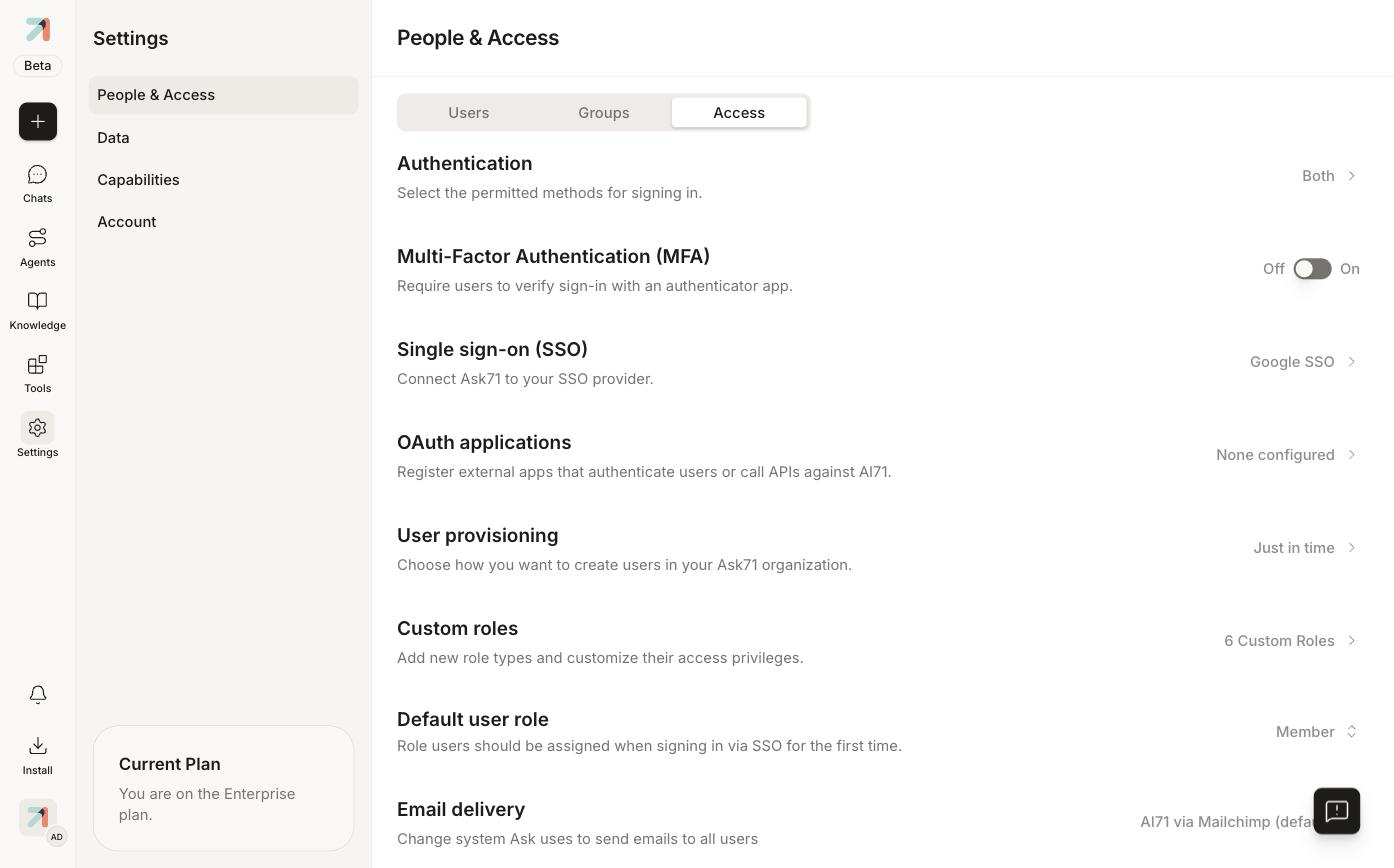
The Access tab: one row per policy, with the current value on the right.
What each row controls
| Setting | What it does |
|---|---|
| Authentication | Which sign-in methods are permitted: password, SSO, or Both. |
| Multi-Factor Authentication (MFA) | Require users to verify sign-in with an authenticator app. Org-wide On/Off toggle. |
| Single sign-on (SSO) | Connect Ask to your SSO provider. See SSO overview, then the guide for your provider: Google, Microsoft Entra ID, SAML 2.0, and LDAP. |
| OAuth applications | Register external apps that authenticate users or call APIs against Ask: the org-level companion to personal API keys. |
| User provisioning | How users are created: invite-only or Just in time on first SSO sign-in. |
| Custom roles / Default user role | Role types and the role new SSO users receive. See Roles & permissions. |
| Email delivery | Which system sends Ask's emails: AI71 via Mailchimp (default) or your own SMTP. |
Don't lock yourself out
Before restricting Authentication to SSO-only, confirm SSO works end-to-end for at least one admin account. A broken IdP integration can lock everyone out, including you.
Data residency & deployment
Ask runs on multiple infrastructures so customers can choose where their data lives. The deployment model is fixed when the tenant is provisioned, and is not changeable from Settings:
- Public cloud: the standard SaaS deployment.
- Sovereign cloud: hosted on Core42 for data-residency requirements.
- Air-gapped on-prem: fully disconnected, for the strictest environments.
Questions about your tenant's deployment go to your AI71 account team.