LDAP SSO Configuration
This guide walks you through configuring LDAP as an identity provider (IdP) for single sign-on (SSO) in Ask. This enables users to authenticate with their directory credentials through your LDAP server.
Prerequisites
- Organization Admin access to Ask
- An Enterprise plan
- Network access from Ask to your LDAP server (including firewalls and TLS)
- A service account (bind DN) with permission to search user entries
- Your LDAP schema details (base DN, object classes, search filters)
Provider names in Ask are stored with an (LDAP) suffix (for example, Corporate SSO (LDAP)). You do not need to type the suffix manually.
Step 1: Gather LDAP connection details
Collect the following from your directory administrator:
| Setting | Description | Active Directory example |
|---|---|---|
| Server URLs | LDAP server addresses | ldaps://ad.company.com:636 |
| Base DN | Root DN for searches | dc=company,dc=com |
| Bind DN | Service account DN | cn=ask-svc,ou=service,dc=company,dc=com |
| Bind password | Service account password | (secret) |
| User base DN | DN subtree for user entries | ou=users,dc=company,dc=com |
| User object classes | Object classes for user objects | user, person, organizationalPerson |
| User filters | Attributes used to locate users | sAMAccountName, mail |
Step 2: Configure LDAP SSO in Ask
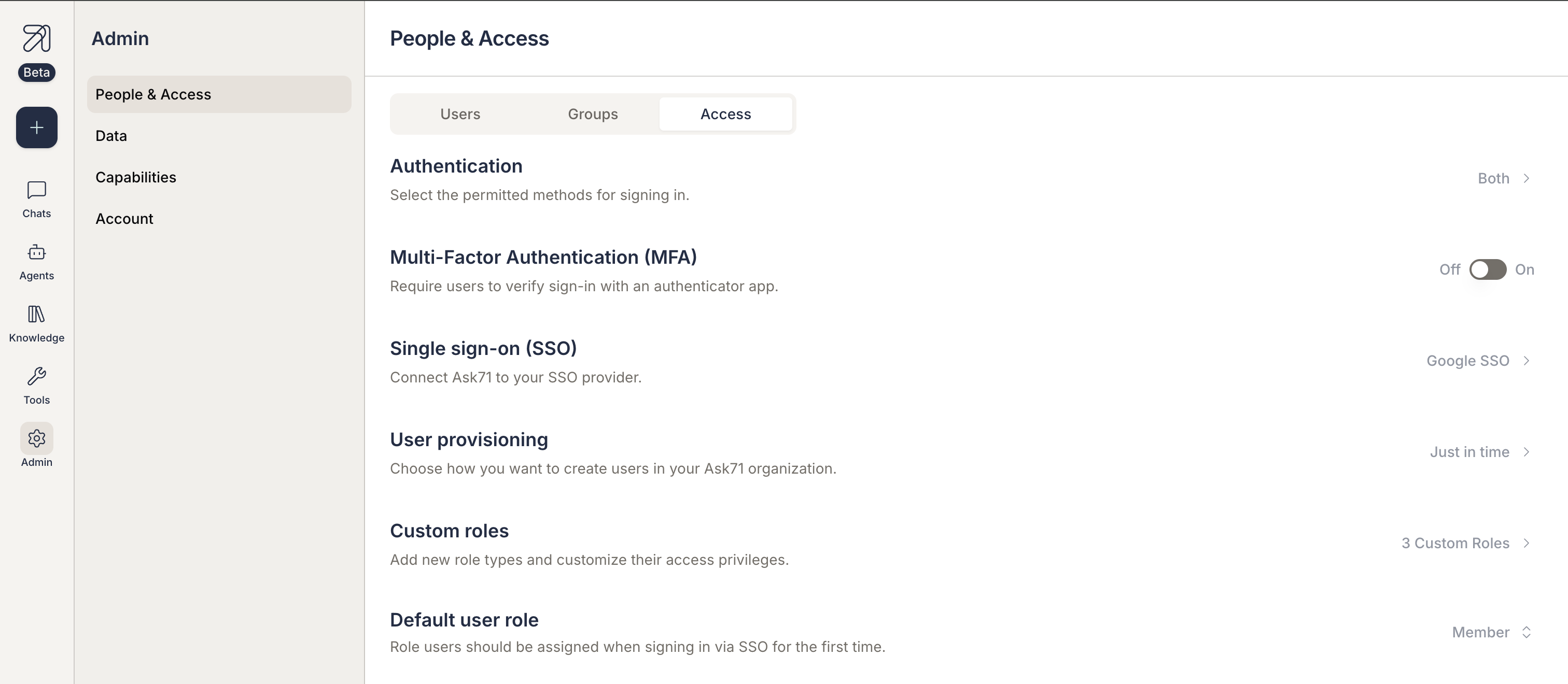
2.1 Navigate to the Access tab
- Log in to Ask as an Organization Admin.
- Navigate to Admin > People & Access.
- Select the Access tab.
2.2 Select LDAP as Identity Provider
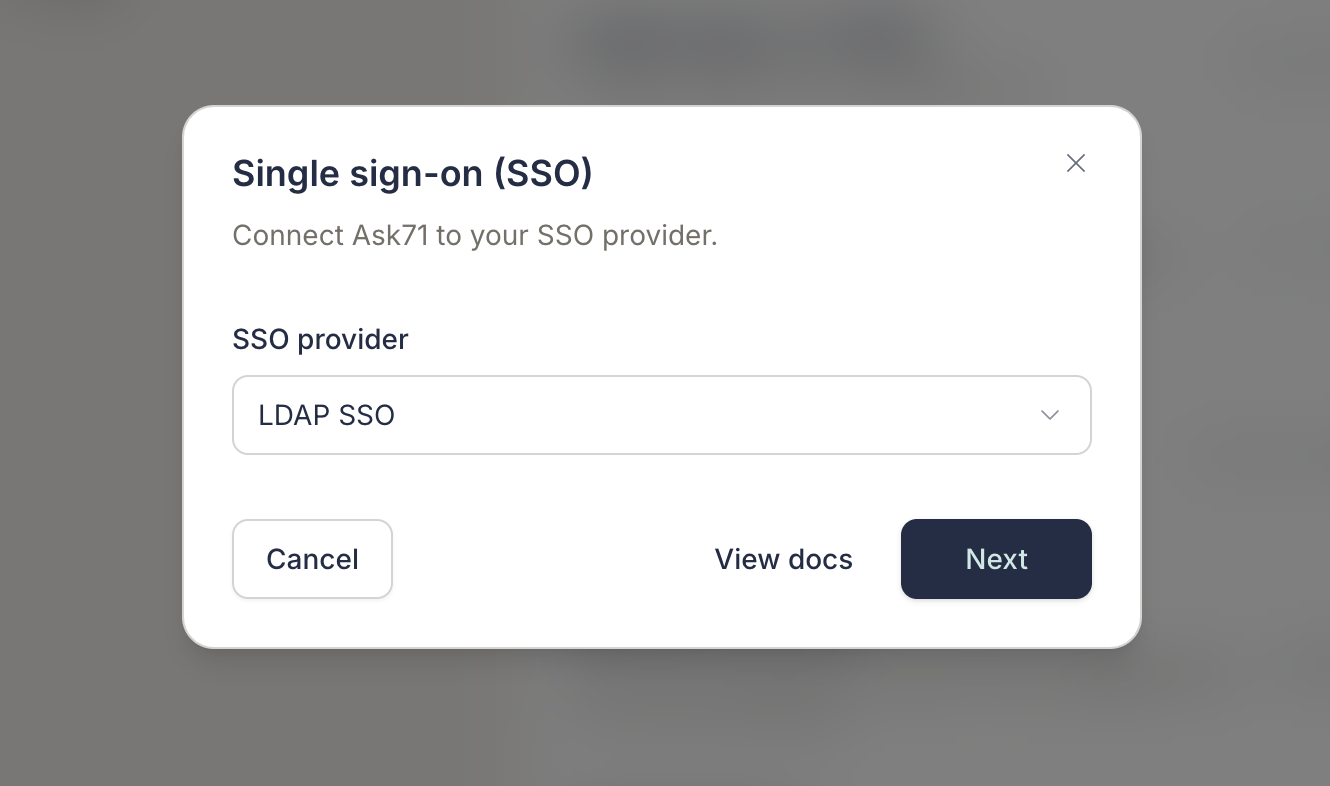
- In the Access tab, locate the Single sign-on section.
- Select LDAP from the available identity provider options.
2.3 Enter connection details
Complete the fields in the LDAP configuration form:
| Field | Description | Example |
|---|---|---|
| Name | Display name for this provider | Corporate LDAP |
| Servers | One or more LDAP URLs (ldap:// or ldaps://) | ldaps://ldap.company.com:636 |
| Base DN | Base distinguished name for LDAP queries | dc=company,dc=com |
| Bind DN | DN used to authenticate to the LDAP server | cn=admin,dc=company,dc=com |
| Bind password | Password for the bind DN | (secret) |
| User base | Base path for user entry searches | ou=users,dc=company,dc=com |
| Timeout | Connection timeout in seconds | 30s |
| StartTLS | Upgrade plain LDAP to TLS after connect | Off when using ldaps:// |
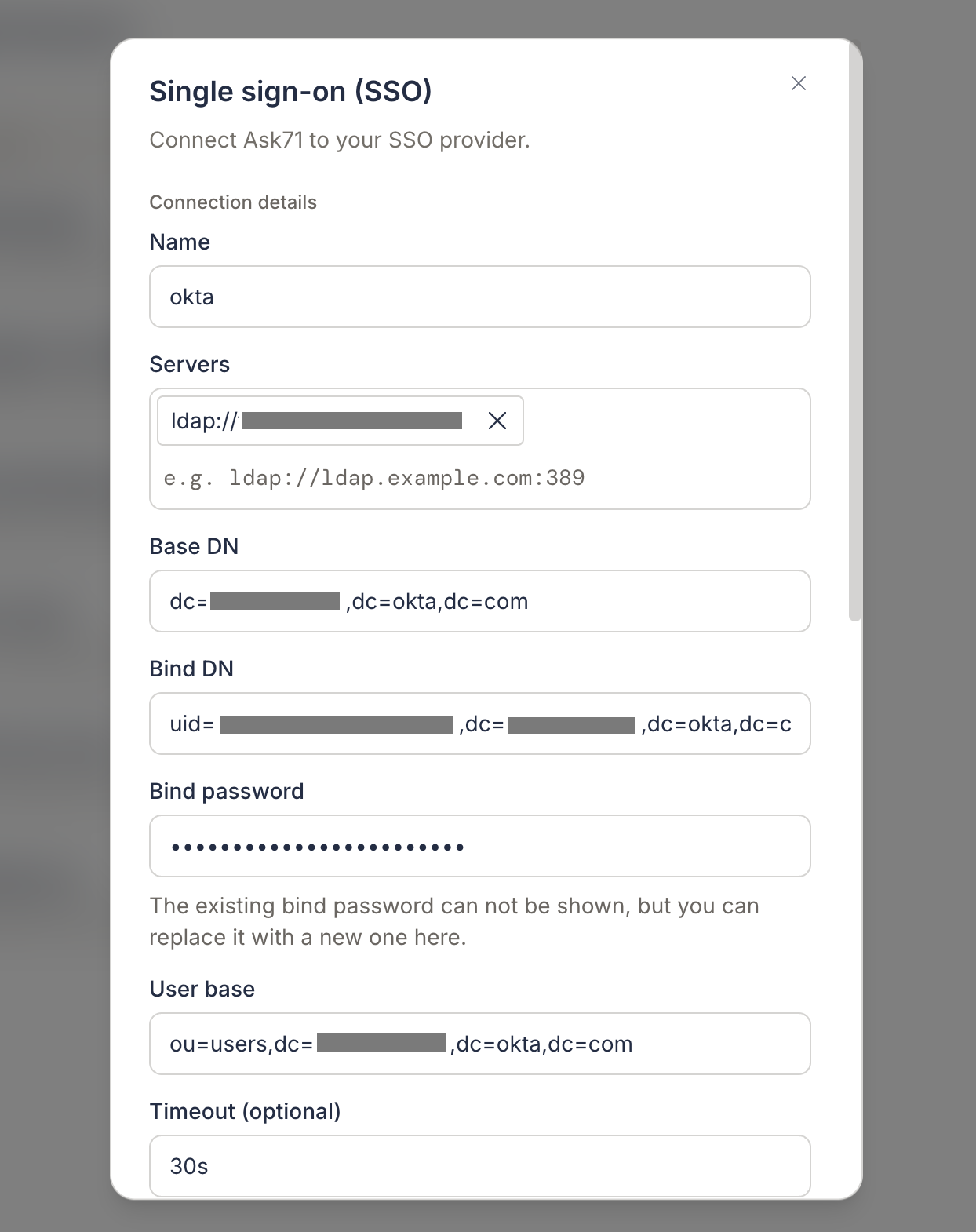
Use ldaps:// (port 636) for encrypted connections. Enable StartTLS only when connecting with ldap:// on port 389 and your server supports STARTTLS.
2.4 Configure user search
| Field | Description | Active Directory example |
|---|---|---|
| User filters | Attributes used to search for users | sAMAccountName, mail |
| User object classes | Object classes user entries must have | user, person |
2.5 Map LDAP attributes
Map LDAP directory attributes to Ask user fields:
| Field | Required | Description | Active Directory example |
|---|---|---|---|
| ID attribute | Yes | Unique user identifier | sAMAccountName, uid |
| Email attribute | Yes | User email address | mail |
| Display name attribute | No | Full display name | displayName |
| Given name attribute | No | First name | givenName |
| Family name attribute | No | Last name | sn |
Click Done to save the configuration.
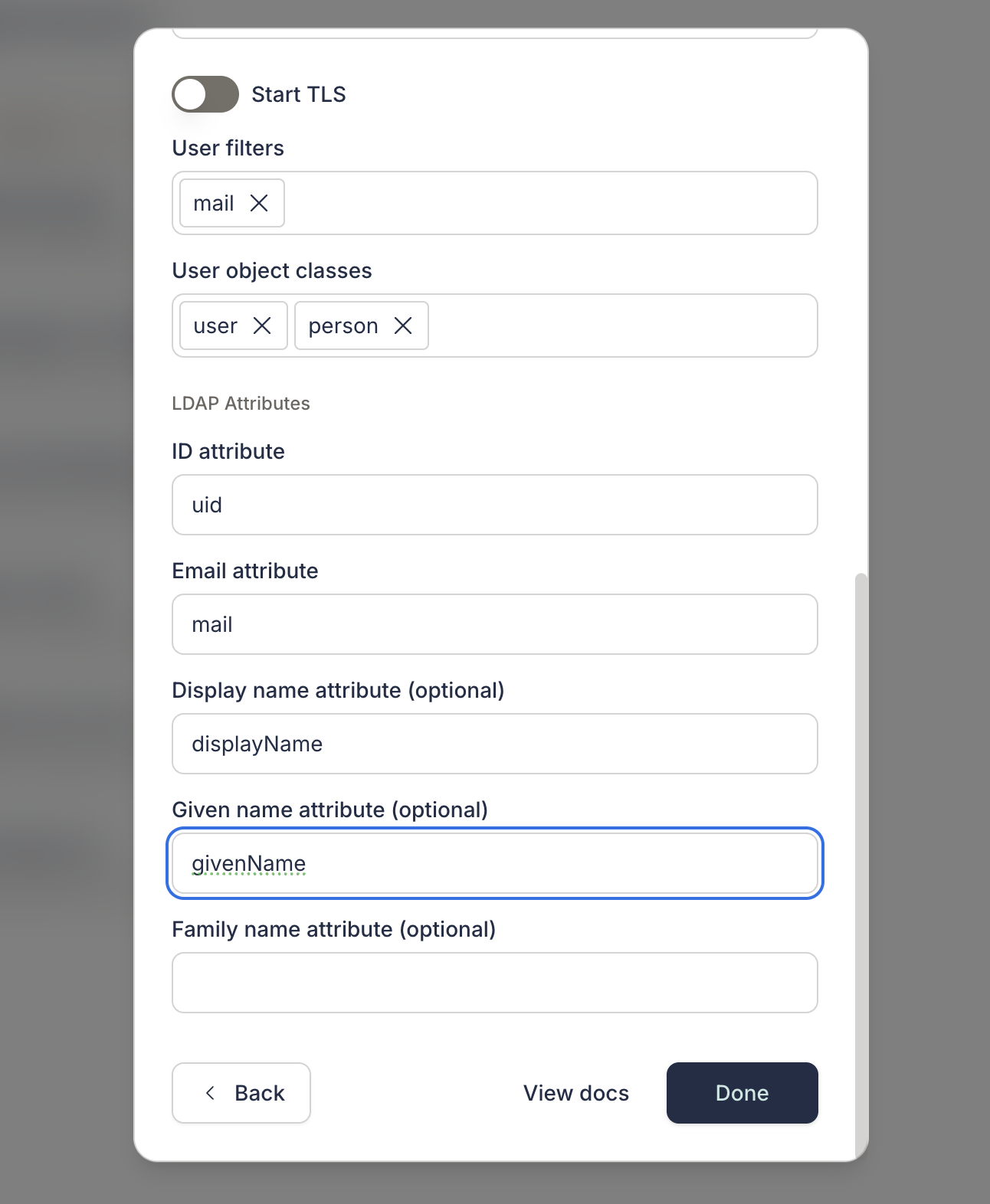
When updating an existing LDAP provider, the bind password cannot be displayed. Leave the password field empty to keep the current password, or enter a new value to rotate it.
2.6 Enable SSO authentication
After configuring the LDAP identity provider, you must enable SSO for your organization:
- Navigate to Admin > People & Access.
- Select the Access tab.
- Select the appropriate authentication option to enable LDAP SSO.
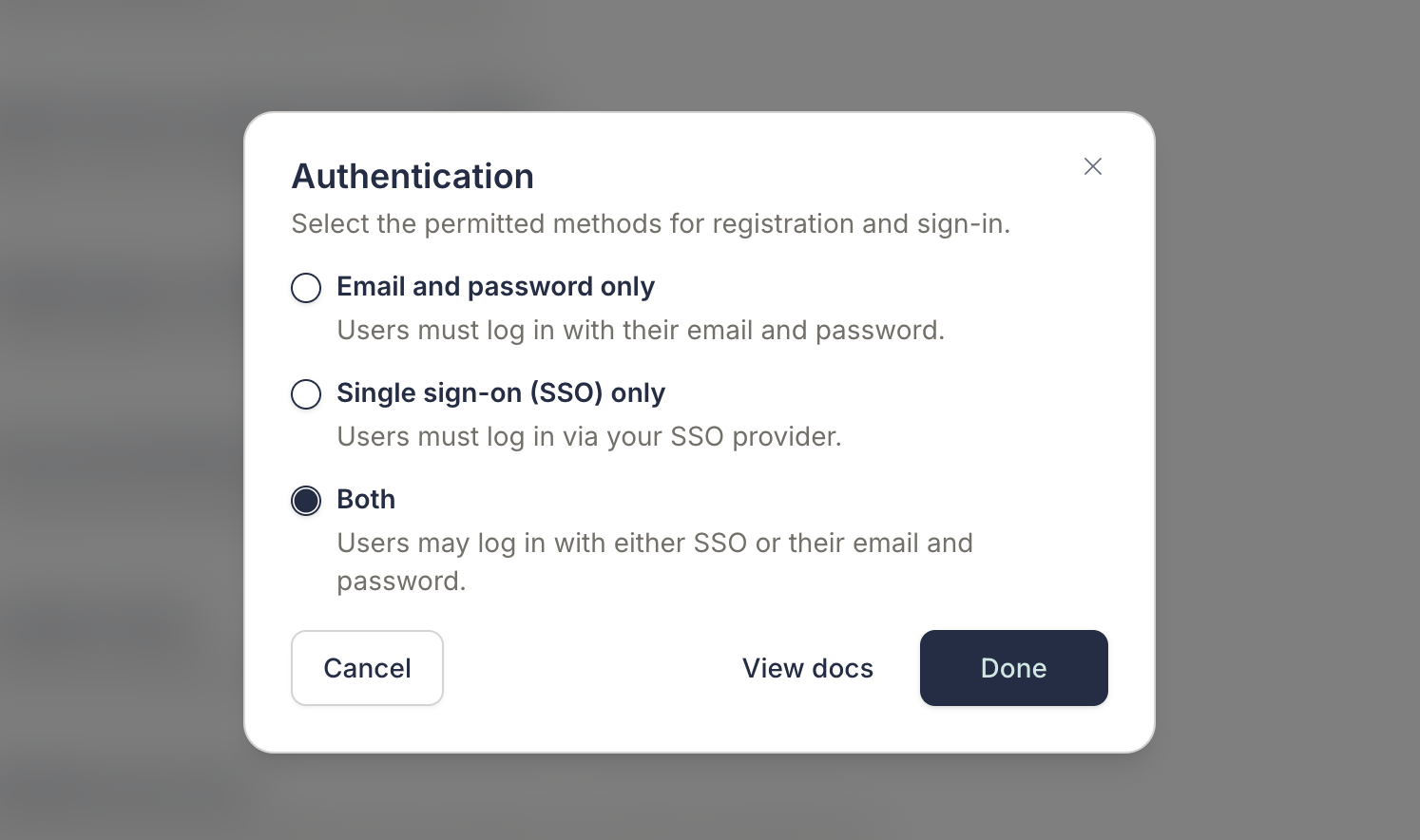
Step 3: Verify the configuration
To verify that LDAP SSO is configured correctly:
- Open an incognito or private browsing window to avoid cached authentication.
- Navigate to your Ask login page and enter email.
- You should see an LDAP sign-in option for your configured provider.
- Select it and enter valid directory credentials.
- Confirm you land in Ask with the correct user profile.
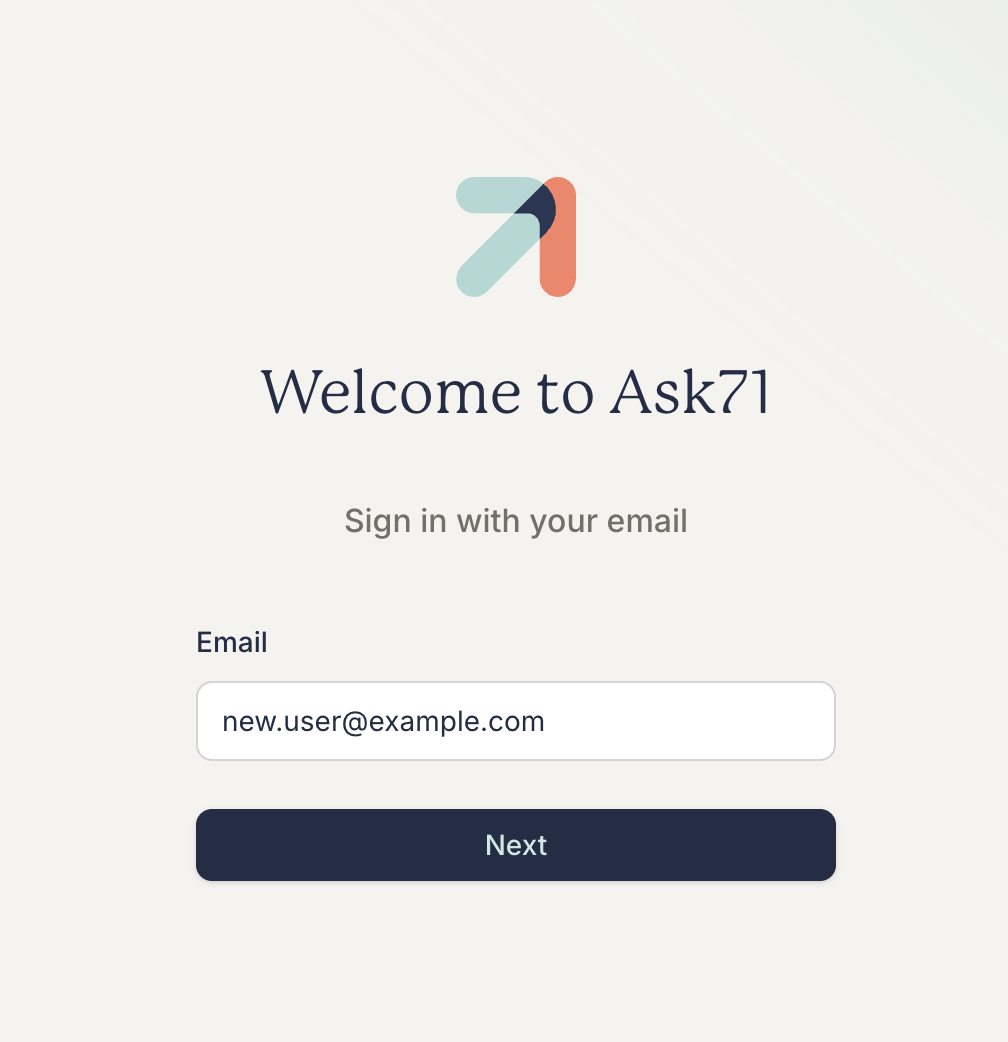
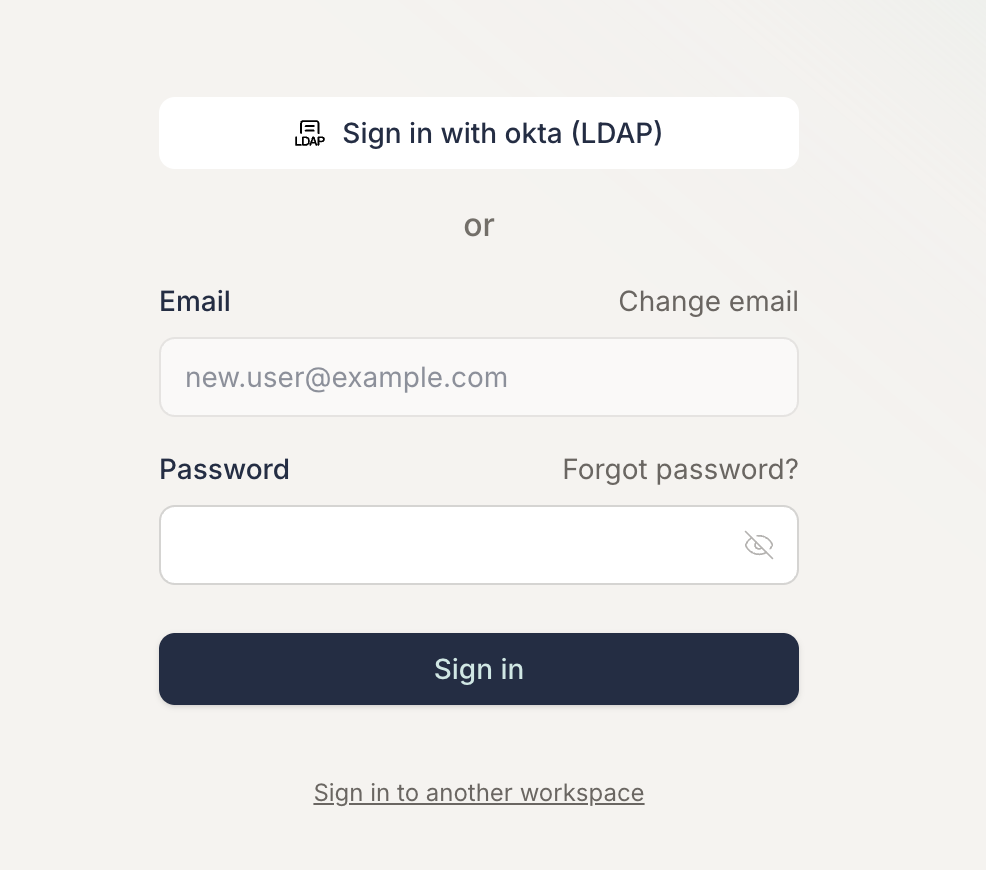
Troubleshooting
- Connection timeout : Verify network access, firewall rules, and that the server URL and port are correct. Increase the timeout if needed (for example,
60s). - Invalid bind credentials : Confirm the bind DN and password. For Active Directory, ensure the service account is not locked or expired.
- User not found : Check user base DN, object classes, and search filters. Confirm test users exist under the configured subtree.
- Attribute mapping errors : Verify LDAP attribute names match your directory schema. Use an LDAP browser to inspect a sample user entry.
- TLS errors : Use
ldaps://for direct TLS, or enable StartTLS forldap://connections. Ensure your LDAP server's certificate is trusted. - Name suffix
(LDAP): The product appends(LDAP)to provider names. This is expected and helps distinguish LDAP providers from other IdP types.