Knowledge bases, explained
A knowledge base in Ask is a collection of documents an agent can read before it answers. Here is how the three flavors differ and how to pick the right one.
What a knowledge base is
Under the hood Ask runs the Knowledge Management Service (KMS): it ingests your documents (PDF, DOCX, PPTX, images, etc), runs OCR (including Arabic), embeds them, and makes them retrievable via hybrid semantic + keyword search. Agents then call the KMS at chat time to ground their answers in your content.
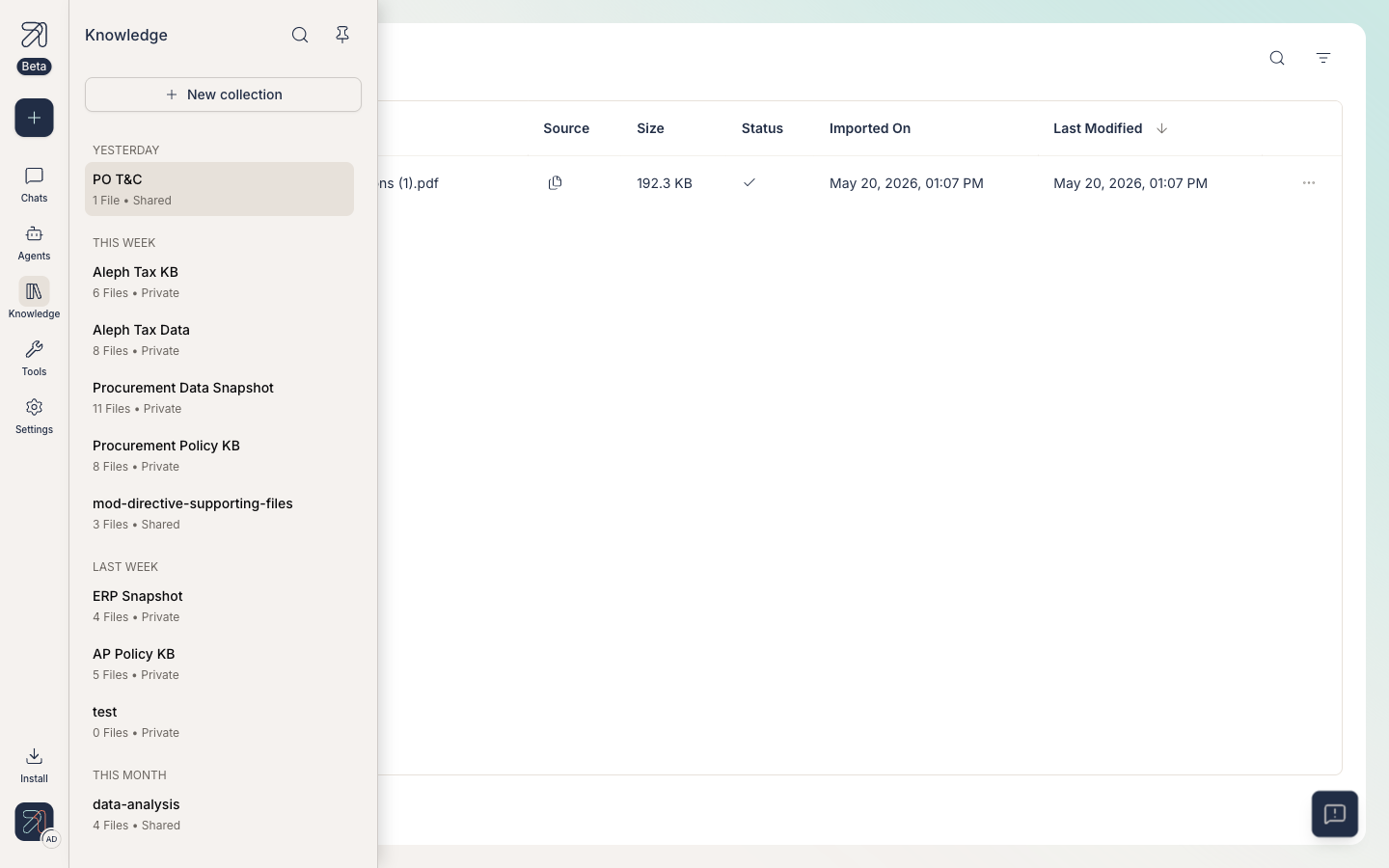
You will see knowledge bases in two places in the app:
- The left-sidebar Knowledge link, which opens
/knowledge-base/<id>and lists every collection you can see. - Inside the agent creator, step 2 (Tools & Knowledge), via the Add knowledge button.
The three flavors
1. Private collections
Created by you, visible only to you. Use them for personal references such as your own notes, a draft policy, or a research bundle you are working through. They carry the Private label in the Knowledge sidebar.
2. Shared (org) collections
Visible to other users, based on your configuration (you can share with other individuals, groups, or the whole org). Use them for material others on your team rely on: handbooks, product docs, policies, regulations. They carry the Shared label. The collection's owner flips a collection from Private to Shared with the Share button on the collection page, and sharing with everyone in the org grants Reader access ("Can view only").
3. Agent-attached knowledge bases
Any collection (Private or Shared) can be attached to one or more agents. When you chat with that agent, it can search those collections automatically and cite what it finds. Attachment happens in the agent creator, not on the Knowledge page itself. See Attach a knowledge base to an agent.
Start a collection as Private while you tidy it up. Promote it to Shared once you are happy with what is in there, since it is much harder to unshare a noisy collection than to share a clean one.
When to create a new collection
- The documents have a clear, shared purpose (one product, one policy area, one project).
- You expect at least one agent to need all of them and not need much else.
- You can name the collection in five words. If you can not, it is probably two collections.
Avoid one giant "Everything" collection. Search quality drops as unrelated documents pile in, and you lose the ability to scope an agent to just what it should see.
Prerequisites
- An Ask account on your organization's instance.
- Permission to create collections. This is gated by your role's Manage collections permission (see Roles & permissions). Most default roles include it.
A 30-second quick tour
-
Open Knowledge from the left sidebar.
-
Scan the recency groups (Yesterday, This week, Last week, and so on) to find an existing collection.
-
Check the visibility label on each: Private means only you, Shared means other users can see.
-
Click New collection at the top of the Knowledge sidebar to start a fresh one.
-
Drop files in, then attach the collection to an agent.